

Amazon Business API roles
What is a role?
A role is a mechanism used by Amazon Business APIs to determine whether an application has access to an operation or resource. As a developer, you must request and qualify for a role. Roles protect access to personally identifiable information (PII) and other sensitive data. Roles ensure developers have access only to required data.
The following roles provide access to Amazon Business API operations:
| Role | Description | API products | Operations | Amazon Business marketplaces |
|---|---|---|---|---|
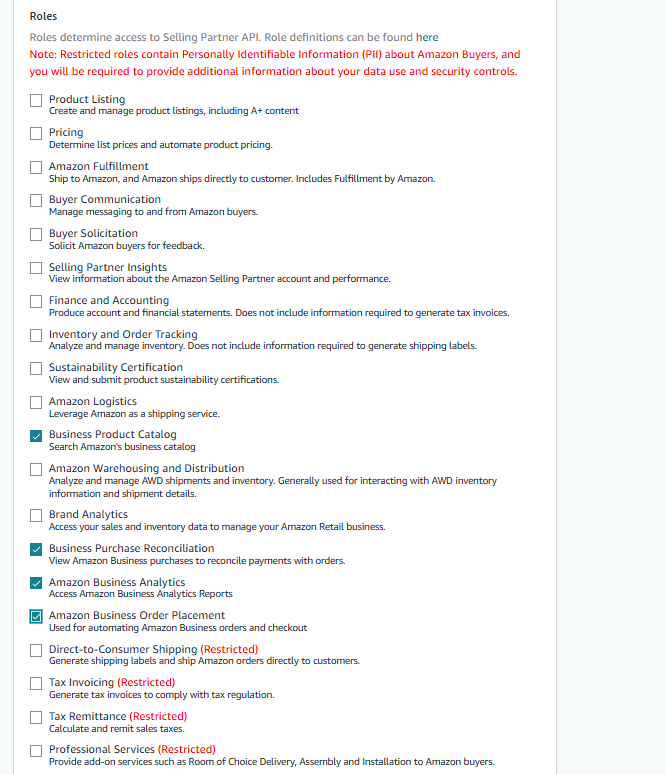
| Business Product Catalog | Search Amazon Business catalog to find relevant products and their associated offers. | Product Search API | • searchProductsRequest • productsRequest • searchOffersRequest • getProductsByAsins • getOffersByOfferIds | NA, EU, FE |
| Amazon Business Analytics | Access Amazon Business Analytics reports programmatically, including order details and tracking information, to derive spend insights at different levels of your Amazon Business account (user/organization/group). | Reporting API | • getOrdersByOrderDate • getOrdersByOrderId | NA, EU, FE |
| Business Purchase Reconciliation | Retrieve payment transactions for a given date range and keep accounting books up to date, create automated entries for employee reimbursement, or download PDF documents. | Reconciliation API Document API | • getTransactions • getInvoiceDetailsByOrderLineItems • getReports • createReport • getReport • cancelReport • getReportDocument | NA, EU, FE |
| User Management | Create accounts for new users in an existing Amazon Business account. You can request this role through an offline process. Please reach out to your Amazon Business contact for more information. | User Management API | • createBusinessUserAccount | NA, EU, FE |
| Amazon Business Order Placement | Define and execute an Amazon Business order request in your application. | Ordering API Package Tracking API | • placeOrder • orderDetails • getPackageTrackingDetails • listCarts • getCart • getEstimatedTotalPurchaseCost • getItems • addItems • deleteItems • modifyItems | NA, EU, FE |
To request an Amazon Business role for your account, select your desired roles in the Developer Registration Access Form (DRAF) during API onboarding. For more information, see Onboarding Step 1 .
Updated 8 months ago
Did this page help you?